The Hidden Cost of Speed in 3D Printing: How Extrusion Rate Affects Material Properties
Publication associated with this work: Maryam Shokrollahi, Olivier Lampron, Martine Dubé, Ilyass Tabiai, “Extrudate-Level Analysis of Extrusion Rate Effects in Fused Filament Fabrication”, Progress in Additive Manufacturing (Accepted May 2026, awaiting publication).
The Speed Trap
We’ve all been there: you’re printing something large, the timer says “48 hours,” and you think “what if I just bump up the speed?” It’s tempting. Industrial printers push for throughput. Hobbyists want their prints done by morning.
But here’s the problem nobody talks about: extrusion rate doesn’t just change how fast you print, it changes the material itself.
Our latest research, just accepted in Progress in Additive Manufacturing, shows that the relationship between extrusion speed and material properties is more dramatic than expected.
The Setup: Isolating the Variable
Most 3D printing research looks at finished parts: the layers, the infill, the anisotropy. But to understand what’s really happening, we tried to go deeper.
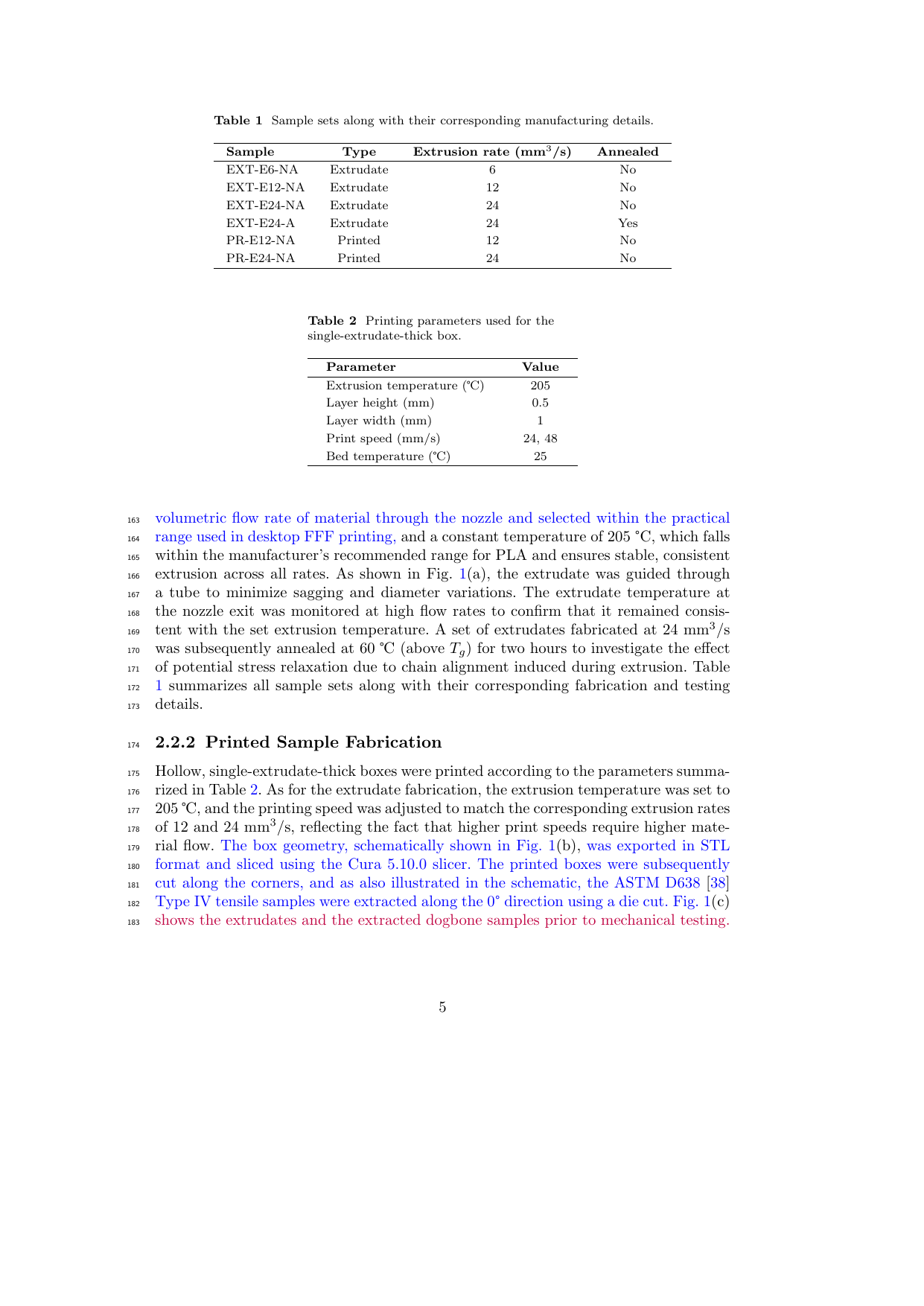
We studied bare extrudates, single strands of PLA pushed through a nozzle, with no layer bonding, no geometry, no confounding factors. Just pure material, extruded at different rates through a printer nozzle. Then we compared those to single-extrudate-thick printed samples, the simplest possible printed structure, one filament wide.
This let us separate material behavior from meso-structural (scale of bonded filaments) effects. What changes in the polymer itself versus what changes because of how you arrange it?
The Findings: Speed Has a Price
1. Toughness Collapse: 85% Loss
The most striking result was that higher extrusion rates reduce toughness by 85% in raw extrudates and 60% in printed samples. Toughness is what lets a part absorb energy before breaking. It’s the difference between a phone case that survives a drop and one that shatters.
At low extrusion rates, PLA remains flexible and forgiving. But at high rates, which is what happens at faster speeds? It becomes brittle and fragile.
2. Failure Mode Changes: Strain Localization
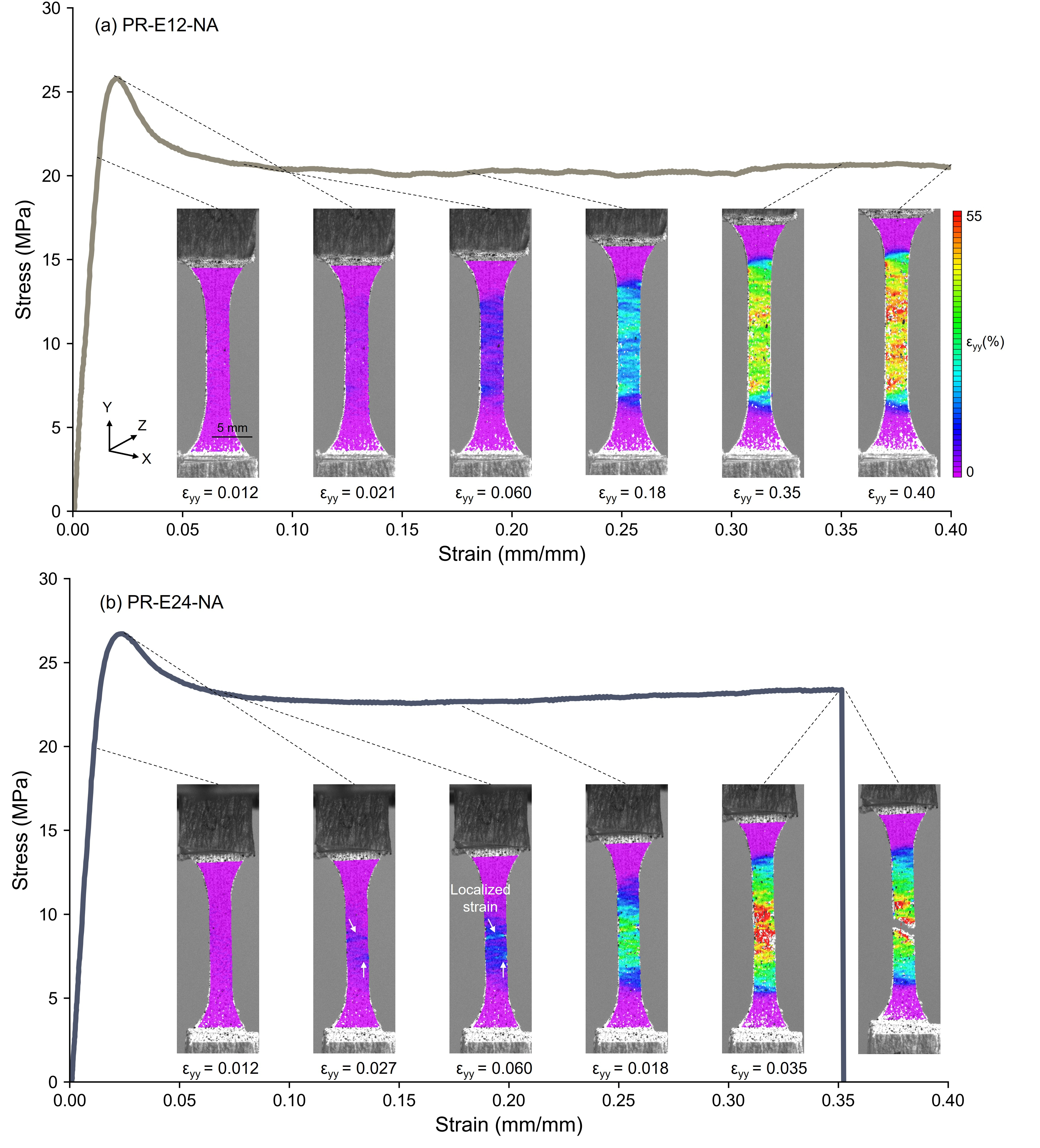
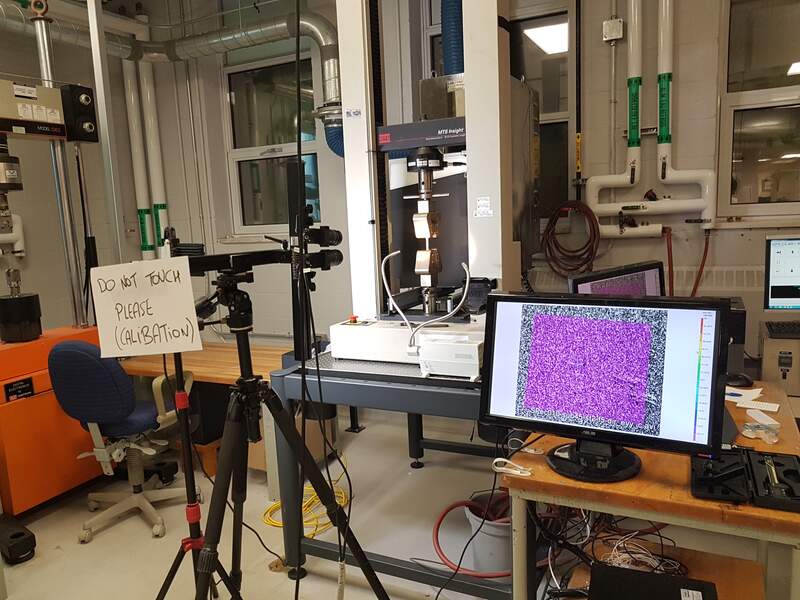
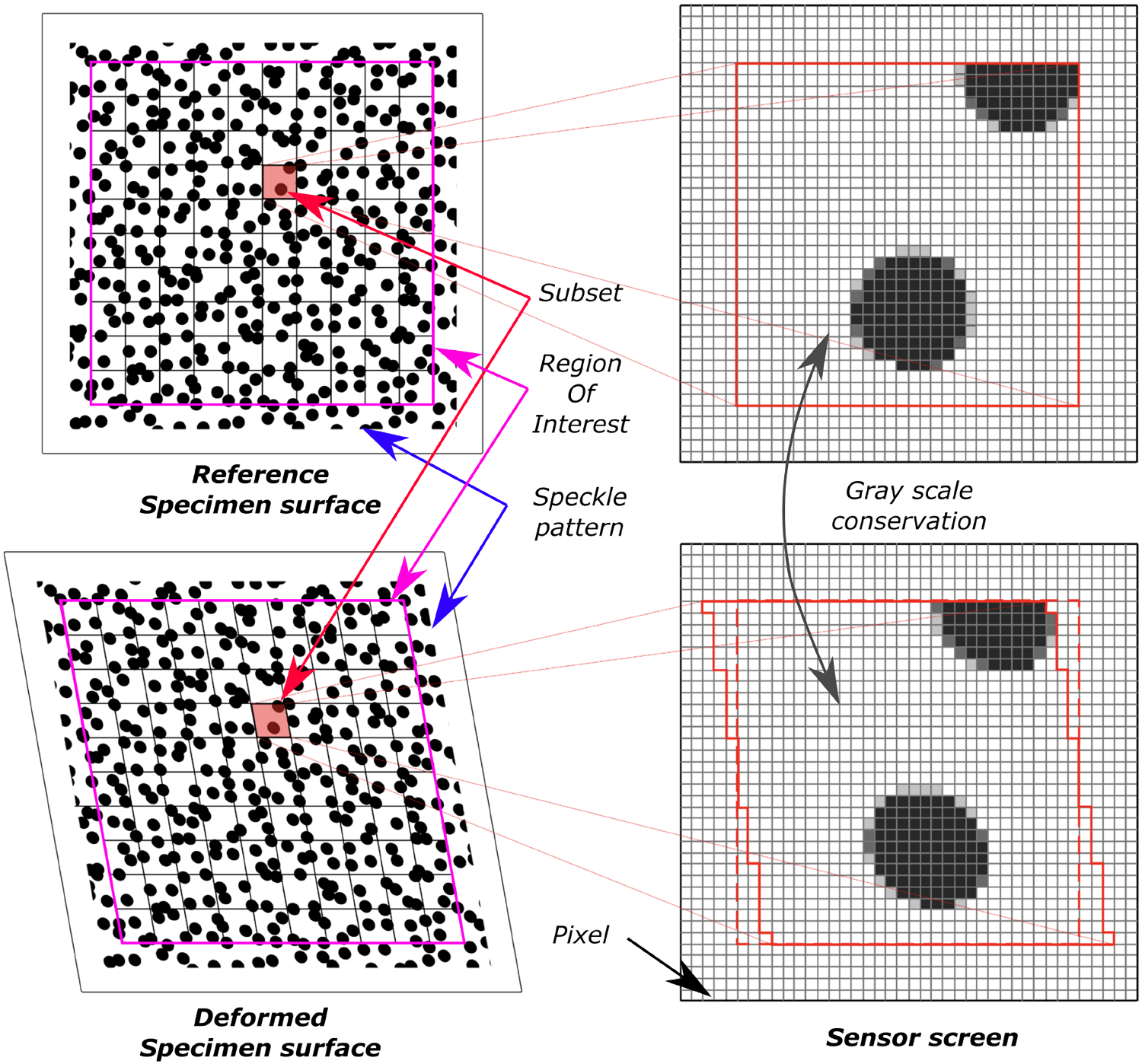
Digital image correlation (DIC) revealed something critical: how the material fails changes dramatically.
At low extrusion rates, strain distributes evenly across the part. Failure is delayed, predictable, and uniform.
At high rates? Strain localizes early. The material concentrates stress in weak spots and fails catastrophically.
This isn’t just about strength numbers, it’s about failure predictability. A part that fails uniformly is safer than one that snaps without warning.
3. Crystallinity Skyrockets: Fourfold Increase
Here’s where it gets interesting: higher extrusion rates increase crystallinity by approximately fourfold for PLA.
This dramatic increase happens beyond a threshold, the jump occurs between 12 mm³/s and 24 mm³/s for PLA. The effect is non-proportional, with substantial changes occurring only at the highest extrusion rates.
Crystallinity is the degree to which polymer chains organize into ordered structures. More crystallinity means:
- Higher stiffness
- Lower ductility
- Higher heat resistance
- But also more brittleness
The extrusion process itself is driving structural changes in the polymer. Faster extrusion → more shear → more chain alignment → more crystallization.
4. Surface Roughness Worsens
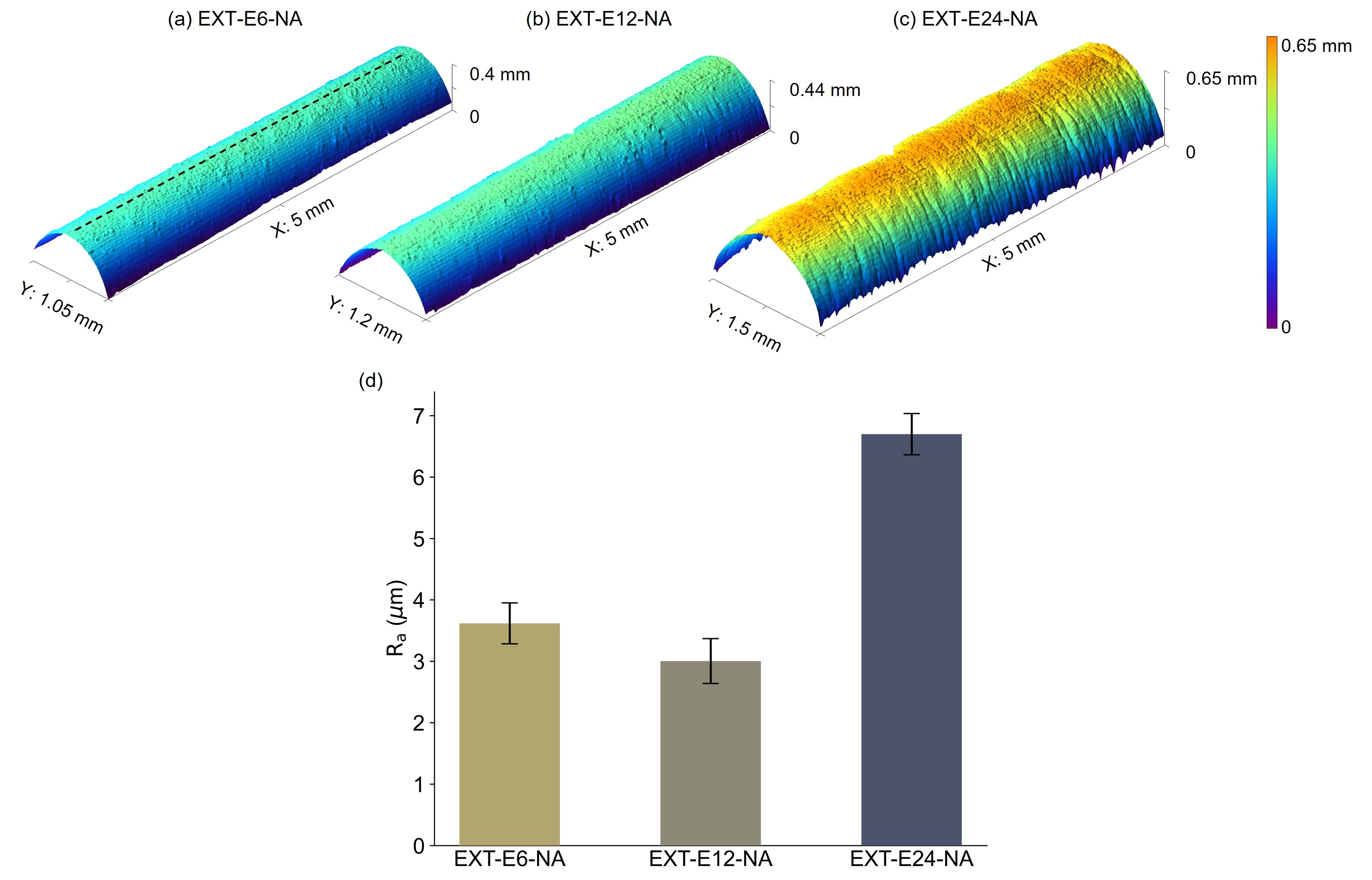
Die swell, a complex phenomenon characterized by the expansion of material as it exits the nozzle, increases with extrusion rate. More die swell means:
- Rougher surfaces
- Poorer dimensional accuracy
- Worse layer adhesion
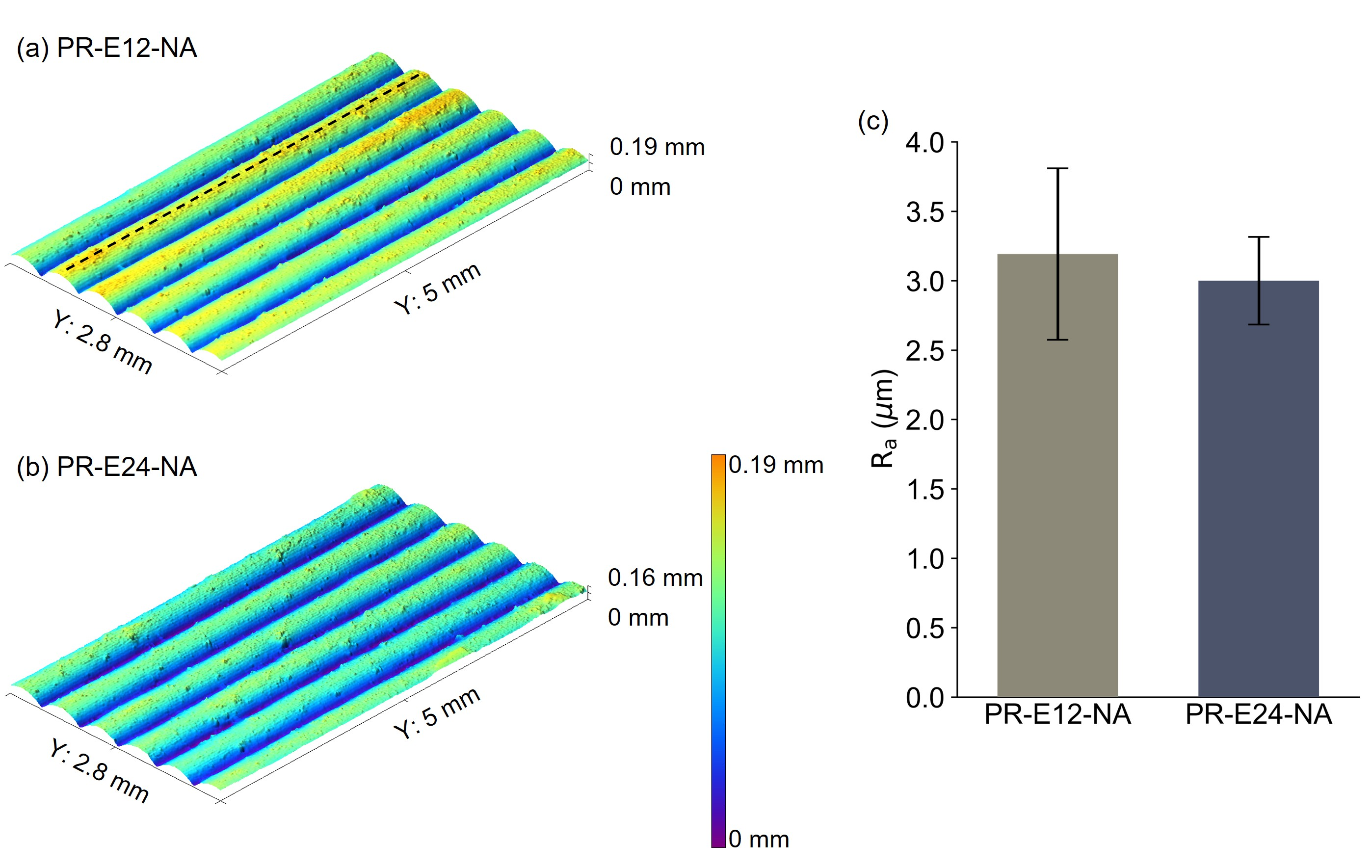
The surface quality degrades alongside the mechanical properties. This connects to our earlier work on notch geometry: the surface roughness created during extrusion acts as stress concentrators, further reducing mechanical performance. The rougher the surface, the more pronounced the notch effect, and the more brittle the part becomes.
Why Does This Happen?
Three mechanisms are at play:
Shear-Induced Crystallization
As polymer melts pass through the nozzle, they experience shear stress. Higher extrusion rates mean higher shear rates. This shear aligns polymer chains, promoting crystallization even before the material cools.
Reduced Thermal Equilibration Time
Faster extrusion means the material spends less time in the heated zone. Less time to equilibrate thermally means:
- More temperature gradients
- Non-uniform viscosity
- And potentially incomplete melting
Die Swell Dynamics
Die swell is related to the elastic recovery of the polymer as it exits the nozzle. Higher shear rates store more elastic energy, which releases as the material expands. This creates:
- Larger diameter variations
- Surface instabilities
- Rougher extrudates
The Practical Implications
For Hobbyists
If you’re printing functional parts, understand the trade-off:
Slow speeds (6-12 mm³/s) give you:
- Higher toughness (parts that absorb impact)
- More predictable failure modes
- Smoother surfaces
- Better layer adhesion
Fast speeds (20+ mm³/s) give you:
- Throughput gains (obviously)
- Higher stiffness (but more brittleness)
- Rougher surfaces
- Unpredictable failure modes
Recommendations:
- Don’t just maximize speed, understand what you’re sacrificing: it’s a compromise, not just about your printer’s capabilities
- Test critical parts at multiple speeds before committing to a print
- Accept that some prints need to be slow, especially load-bearing or safety-critical parts
- For cosmetic prints, speed might be fine. For functional parts, think twice.
For Industrial Users
Throughput matters, but so does reliability:
- Characterize your materials at production speeds, lab-tested properties don’t always hold at scale
- Don’t assume lab-characterized properties hold at scale
- Test at your actual operating speeds before committing to production runs
For Material Developers
If you’re formulating filaments:
- Test across extrusion rate ranges, not just at one speed
- Consider additives that mitigate shear-induced crystallization if it’s undesirable
- Design for the actual processing conditions, not ideal ones
The Bigger Picture
This work builds on our earlier research on notch geometry vs. interface bonding (published in Journal of Manufacturing Processes, 2025, DOI: 10.1016/j.jmapro.2025.05.070). That paper showed that surface roughness naturally created during printing acts as stress concentrators, driving anisotropy and reducing strength.
This new work shows that extrusion parameters drive material properties, and also drive the surface roughness that creates those notches.
Together, they tell a complementary story:
- The surface roughness induced during printing (notches) matters: it creates stress concentrators
- How you print it (parameters like extrusion rate) matters: it changes both the material and the roughness
- The material itself changes during printing: crystallinity, toughness, and failure modes all shift
The Takeaway
Speed isn’t free. Every percentage point of throughput gains comes with a material property cost. The question isn’t “how fast can I print?”, it’s “what properties do I need, and what speed delivers them?”
Understand the trade-off. Test your parameters. Print smarter, not just faster.
Want to dive deeper? Check out our earlier work on 3D print strength: notches vs. bonding for the full story on anisotropy in FFF/FGF.
Leave a comment